ECAD + MCAD · PCB ENCLOSURE DESIGN
FROM KICAD BOARD
TO ENCLOSURE
Build the enclosure around the real KiCad board, copper and keep-outs included. Review it with the ECAD engineer, then send the mechanical changes back to the KiCad layout as a new revision.
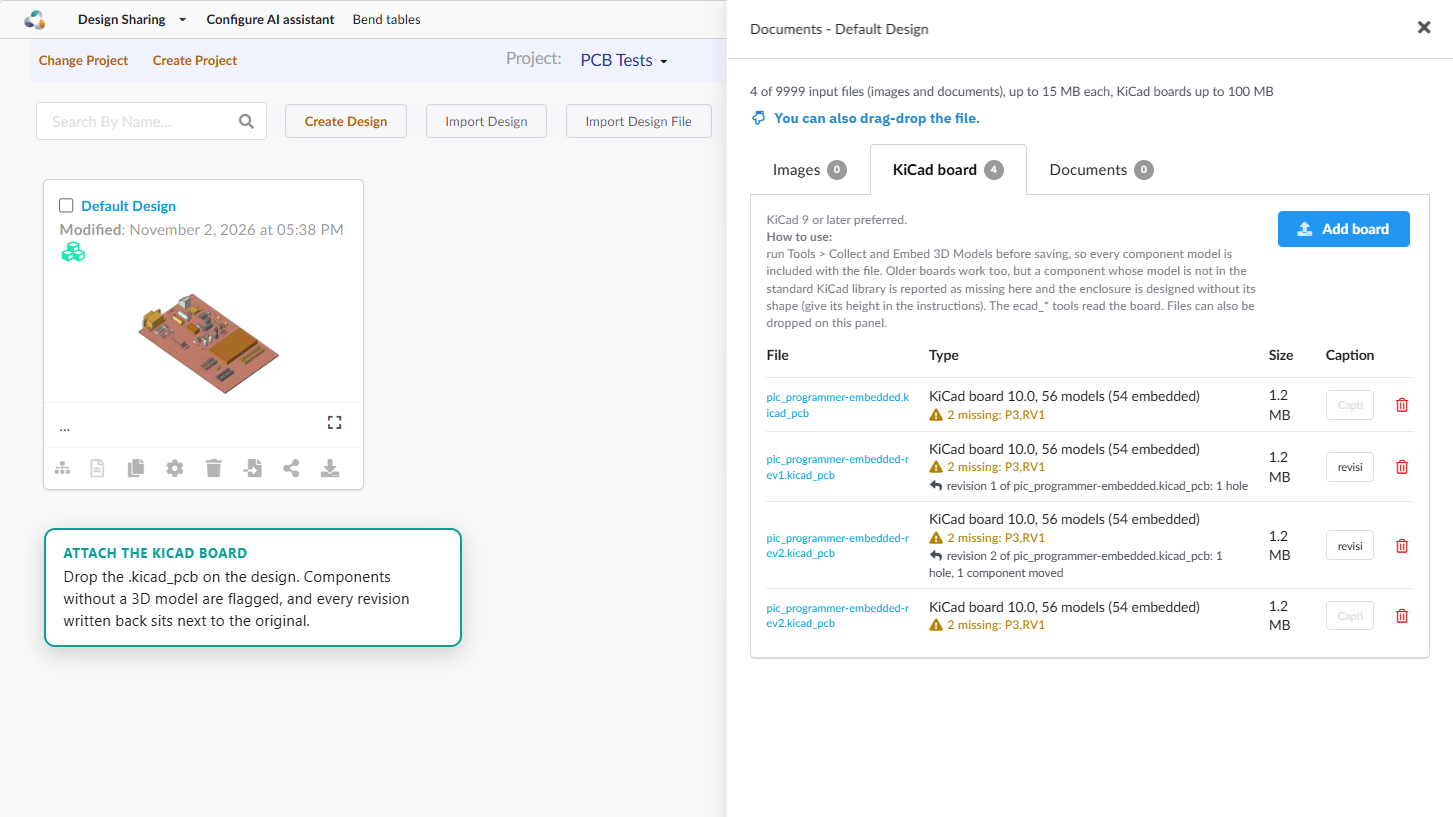
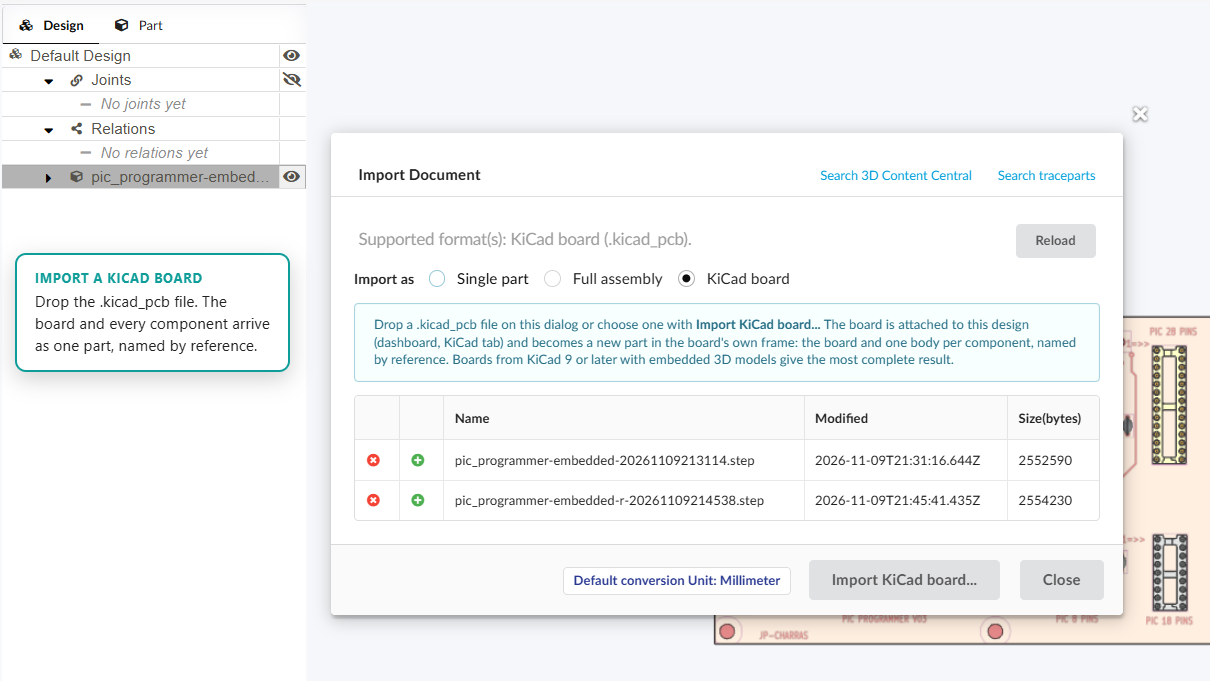
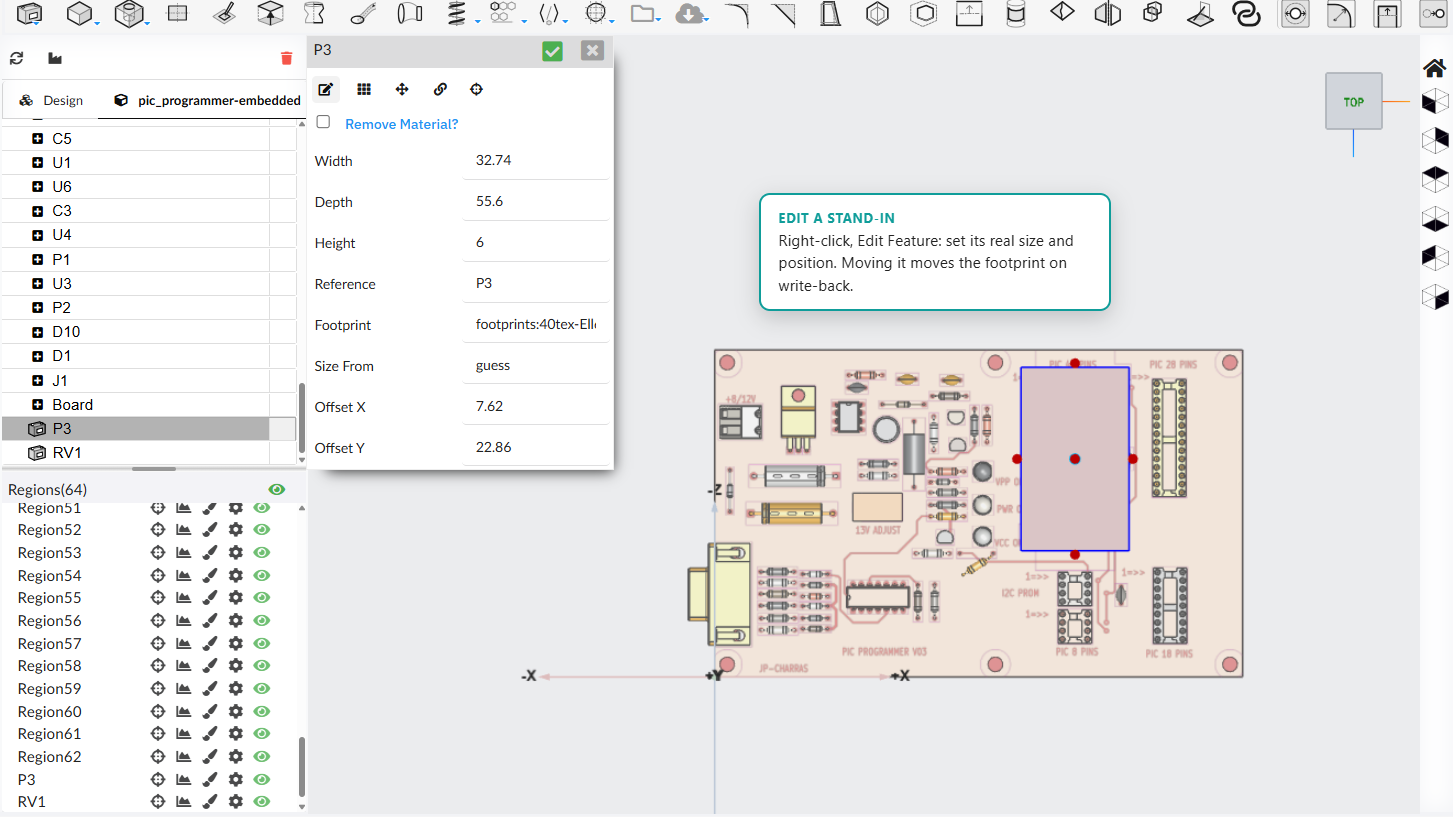
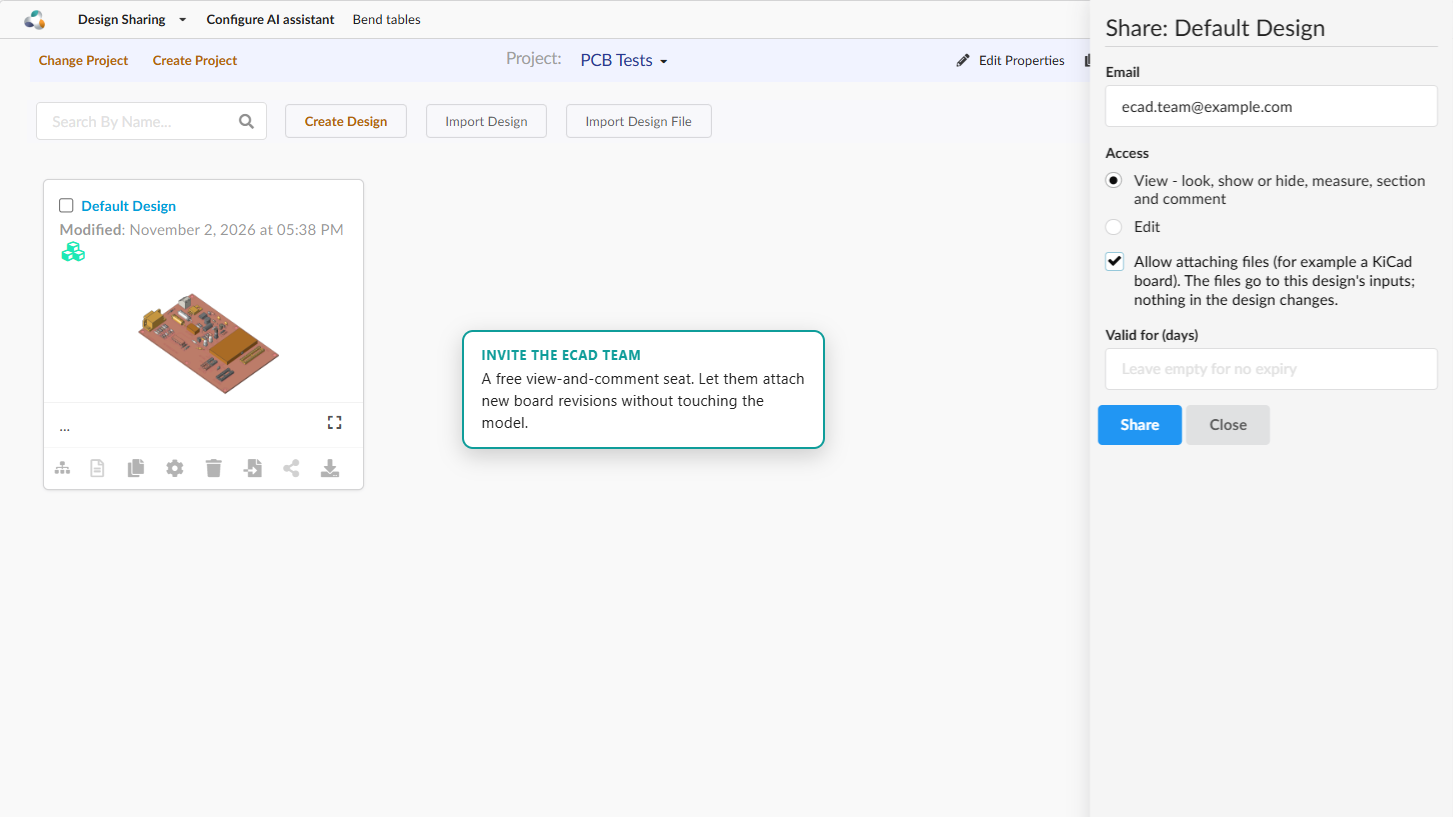
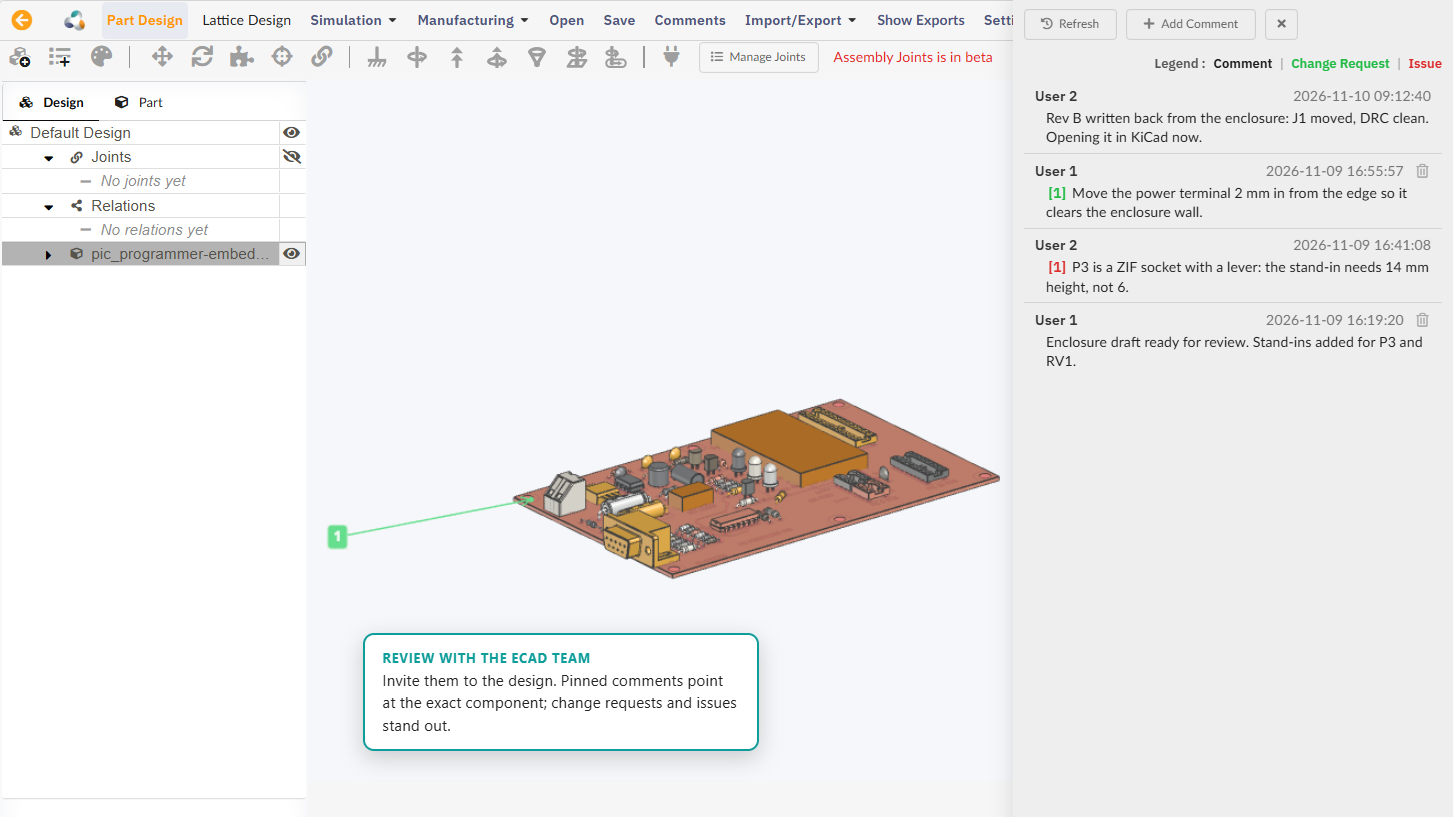
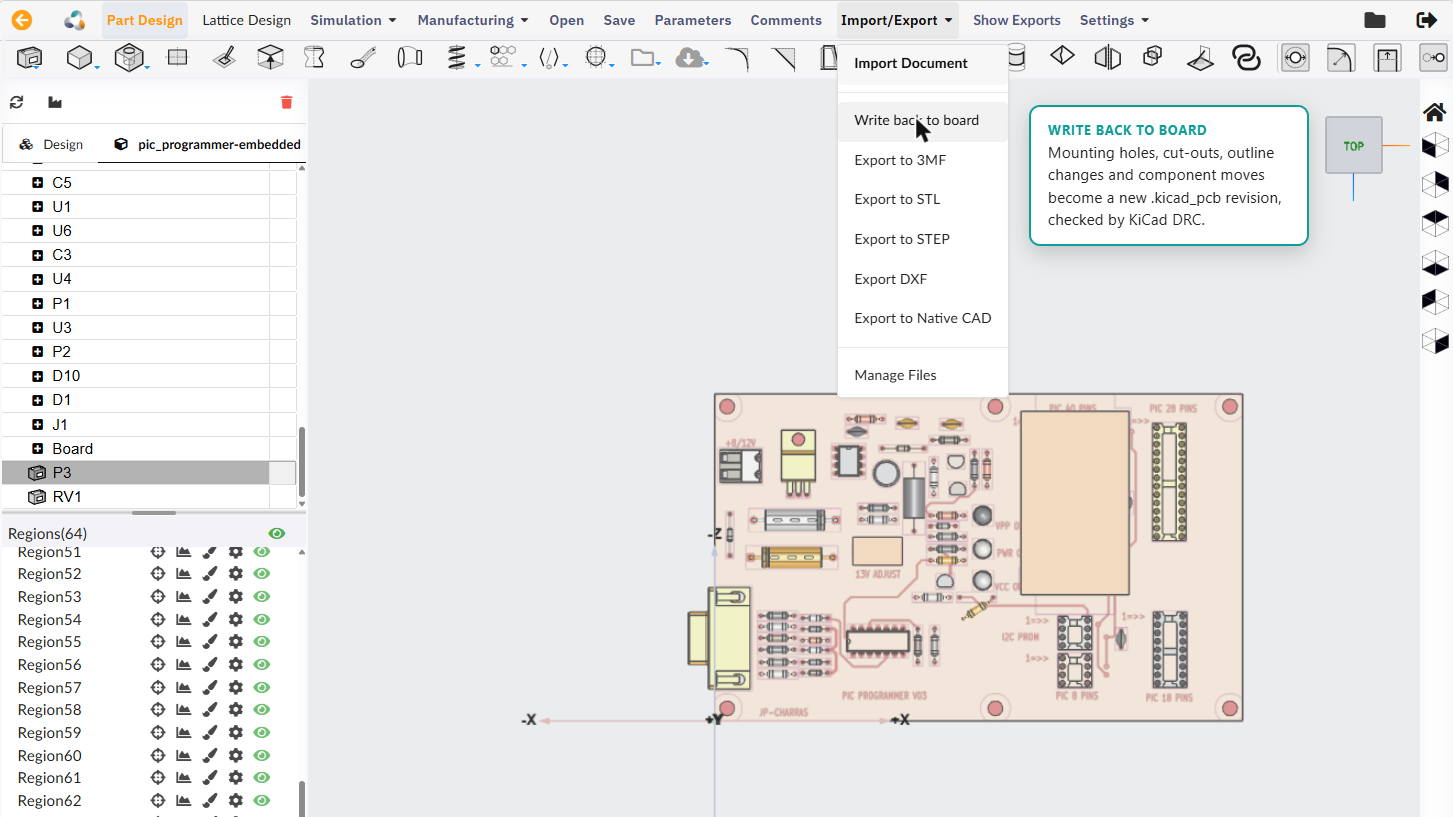
Attach the .kicad_pcb to the design. Missing 3D models are flagged; revisions written back are listed with the original.
THE WORKFLOW
One design from first import to final revision, with fewer hand-offs between ECAD and MCAD. The board stays linked to its KiCad file the whole way.
Attach the KiCad board
Drop the .kicad_pcb on the design. The board and every component arrive as one part in the board's own frame. Boards from KiCad 9 or later with embedded 3D models give the most complete result.
Build the enclosure manually or let AI build it
Model it yourself with the full CAD toolset, or ask your AI assistant: it reads the board over MCP (outline, mounting holes, component heights) and builds the enclosure around it, as features you keep editing.
See copper and keep-outs
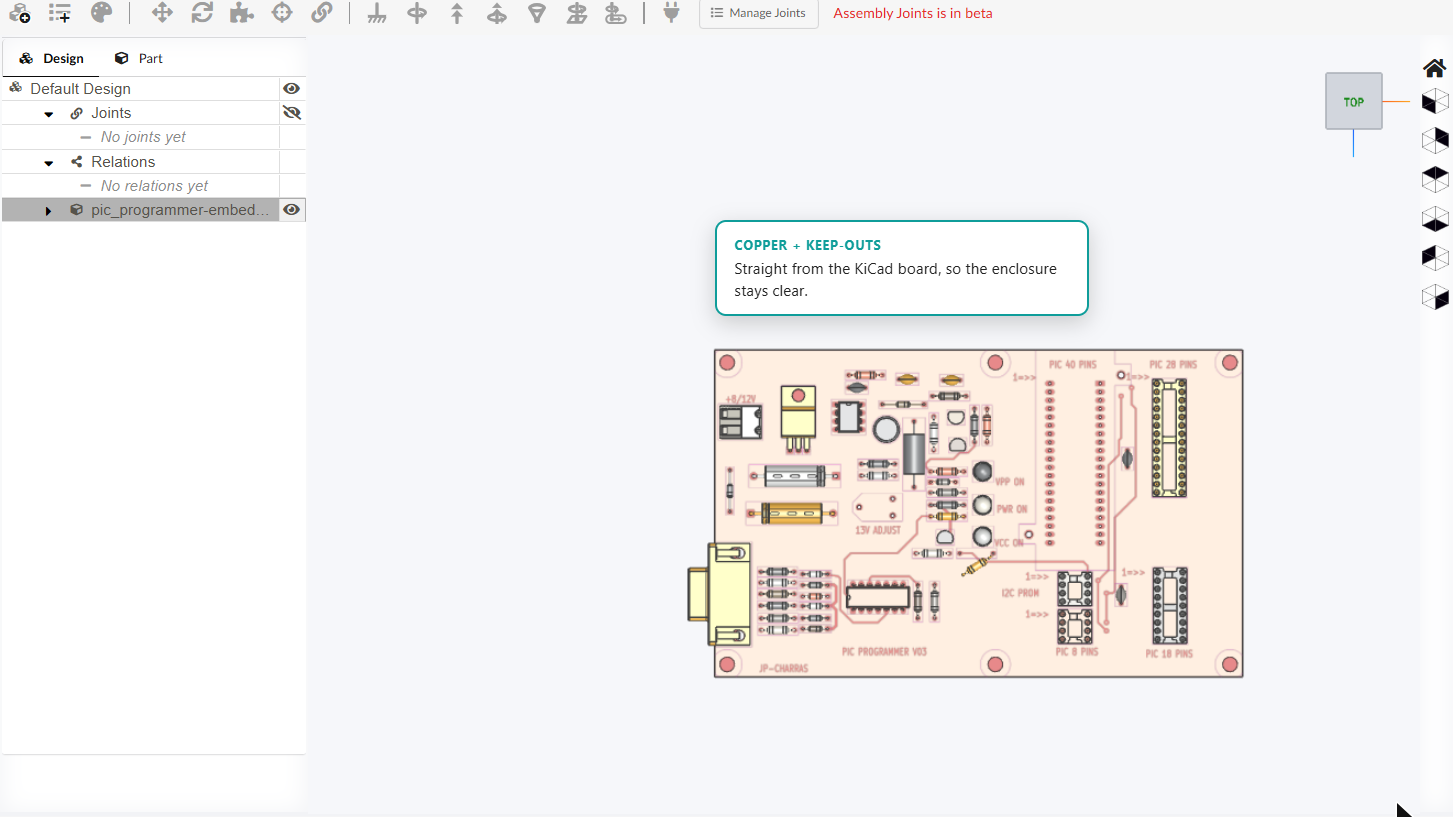
Show the copper, courtyards and keep-out zones exported from KiCad right on the board, so walls, bosses and ribs stay clear.
Stand-ins for missing models
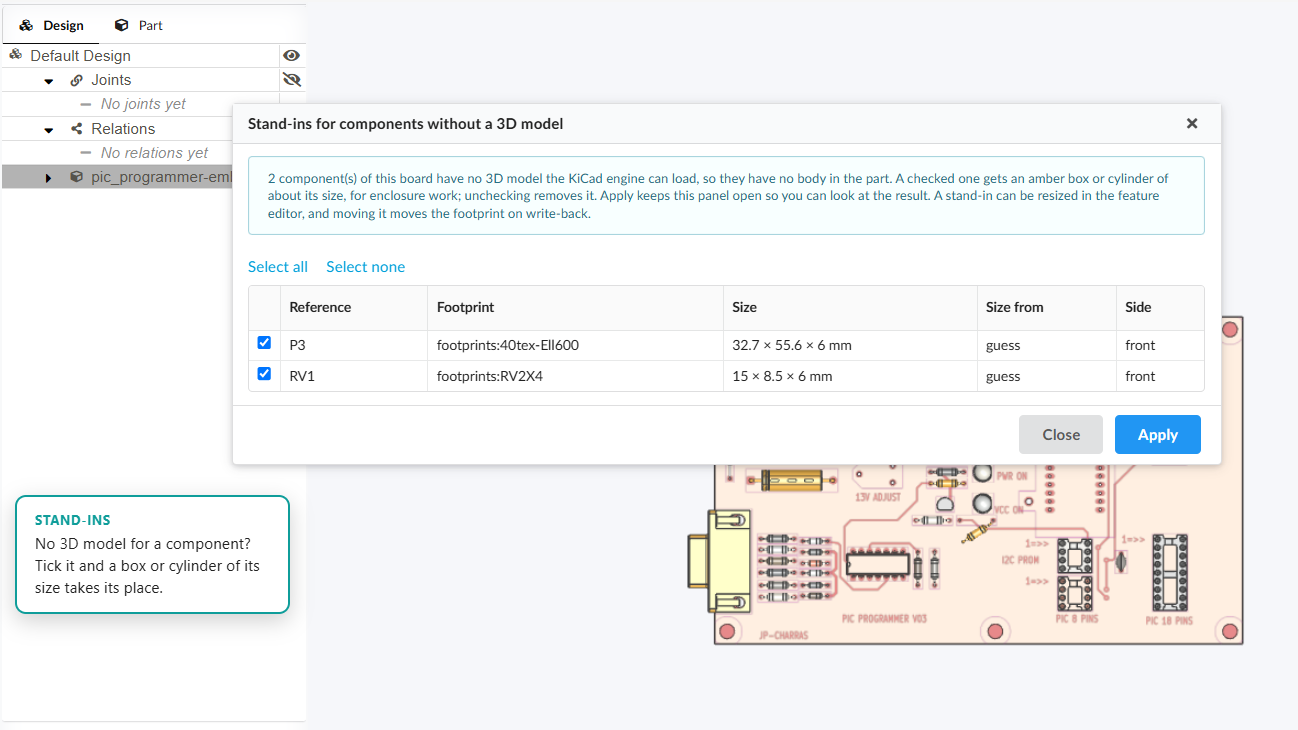
A component with no 3D model gets a box or cylinder of about its size. Edit it like any feature to set the real height.
Review with the ECAD team
Invite the electronics engineers to view and comment for free. Pinned comments point at the exact component, and they can attach new board revisions without touching the model.
Write back to the board
Mounting holes, slots, cut-outs, outline changes, keep-outs and component moves go back as a new .kicad_pcb revision, ready to open in KiCad.
WHERE IT FITS
WORKS WELL TODAY
- Housings and enclosures around a single PCB
- Mounting holes, bosses and connector cut-outs placed from the board
- Moving a component to clear a wall, then handing it back to KiCad
- Boards from KiCad 9 or later with embedded 3D models
PLANNED
- Other ECAD formats: bring them in as STEP, without copper or write-back
- Routing: copper is shown for clearance, not edited here
- Support full KiCad and external component libraries