ENGINEERING COLLABORATION
Make engineering information accessible across teams and disciplines.
Share engineering models
Share project and model access without repeatedly exporting files and sending attachments. Keep participants connected to the relevant design.
Feedback in context
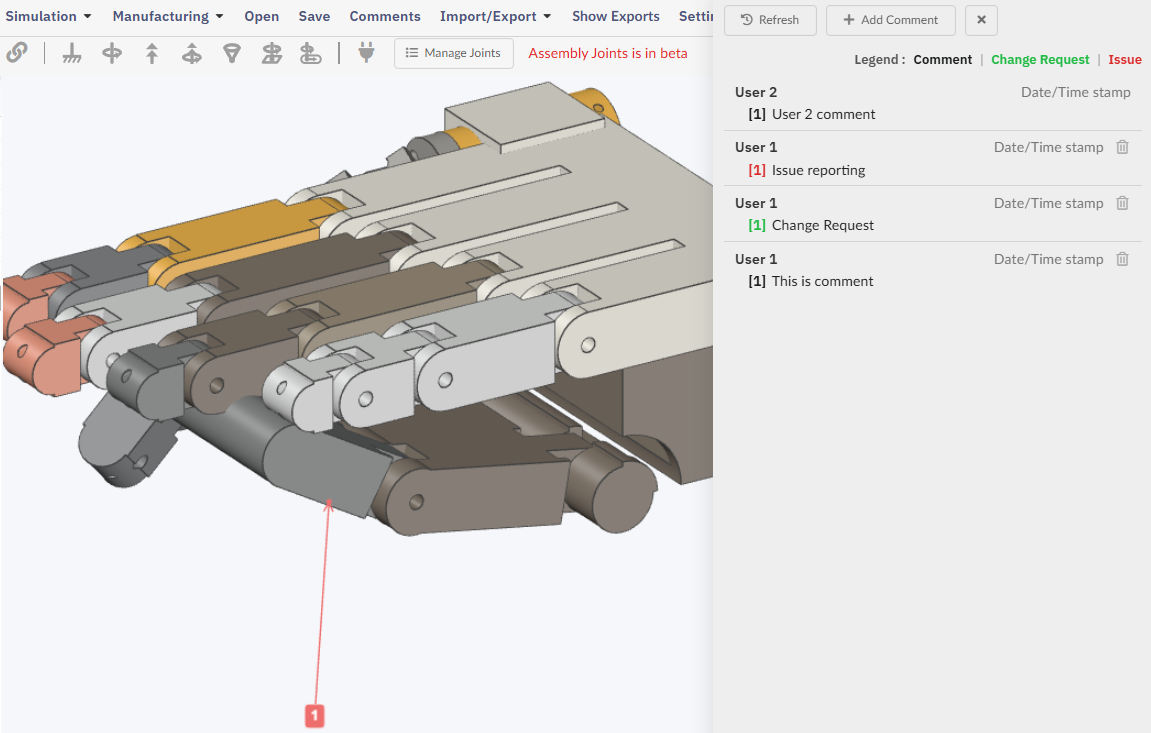
Add comments and feedback directly against shared models rather than scattering design discussions across emails and messaging applications.
Connect design and manufacturing
Let shop-floor personnel, manufacturers and ECAD participants attach relevant files to shared engineering models.
Share design intent, not just geometry
Share 3D PMI and browser-based HTML presentations with multiple views, dimensions and GD&T information.
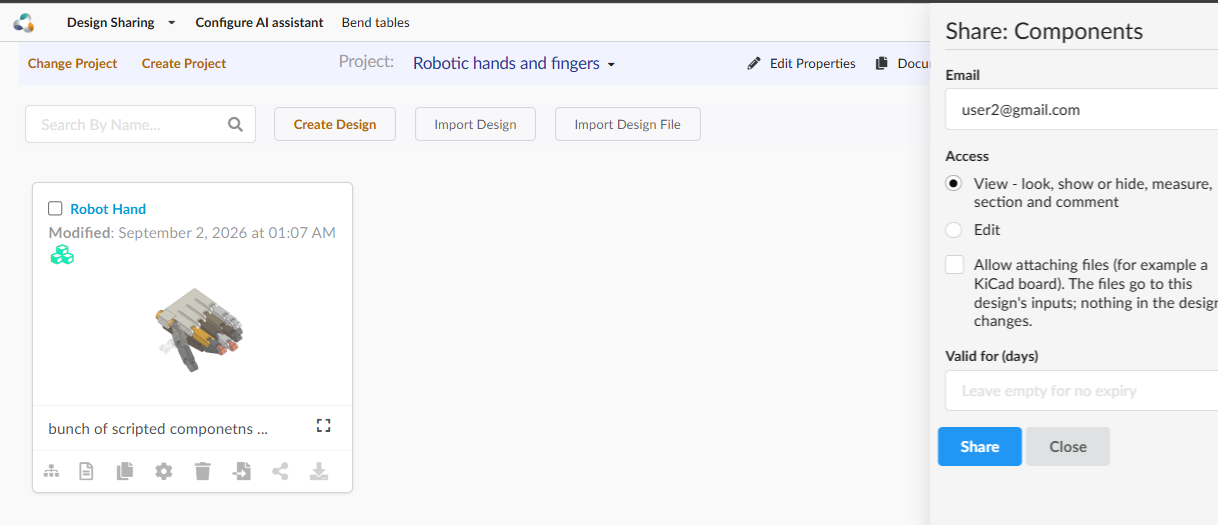
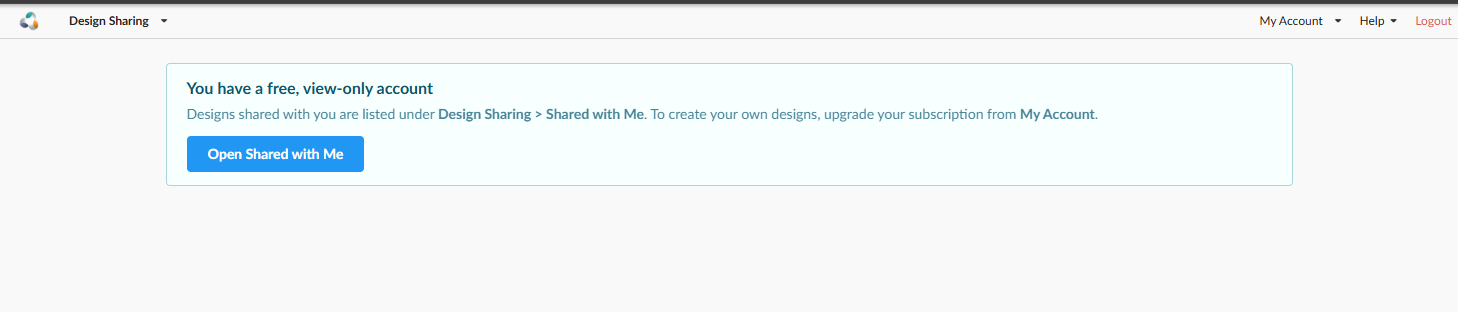
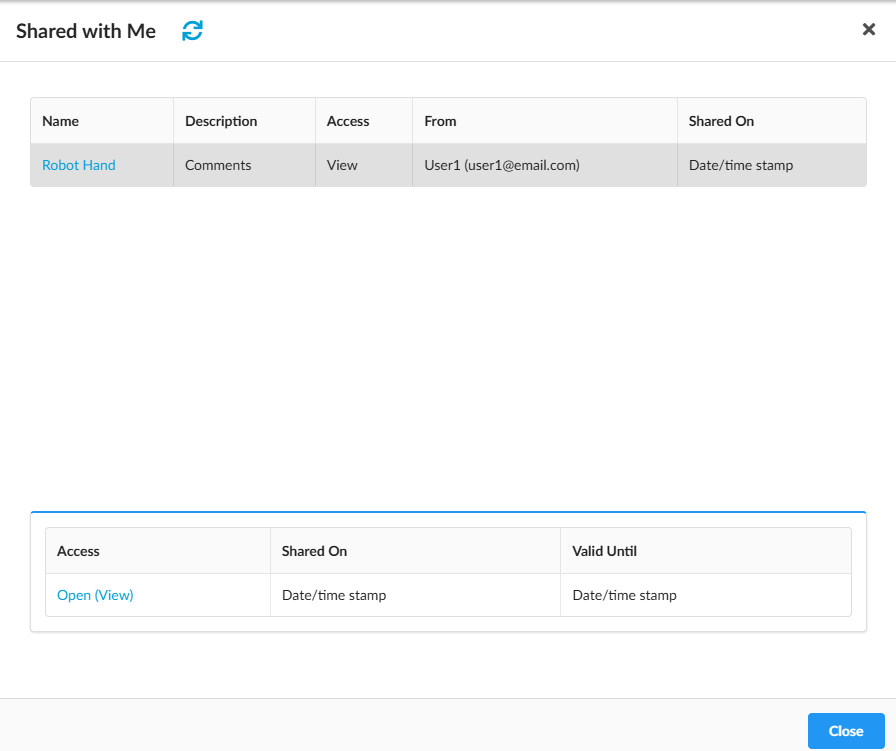
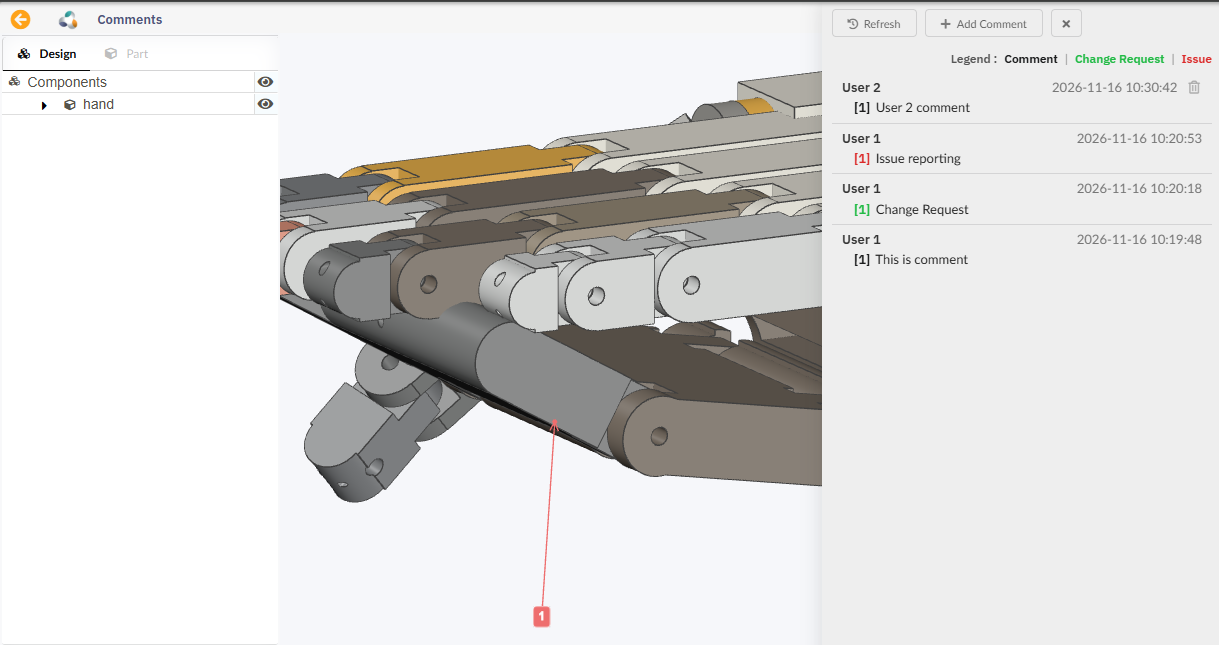
Send an invite: enter their email and choose View. They can look, show or hide, measure, section and comment.
HOW IT WORKS
From invite to answered comment, in five steps. Nobody installs anything or exports a file.
WHY IT WORKS
No installs, no exports
Reviewers open the live design in a browser. No STEP files by email and no viewer to install.
Comments that point
Each pin keeps the camera view and an arrow to the face or edge, so "this hole" is never ambiguous.
You stay in control
View access cannot change the model, and it lasts until you revoke it. You decide whether reviewers may attach files.